Add users
Adding users with basic authentication (username and password stored in PMM) from Administration > Users and access > Users tab.
If your organization uses LDAP, OAuth, SAML, or other authentication methods, users are managed through your external authentication system. See available authentication methods for more information.
Authentication methods
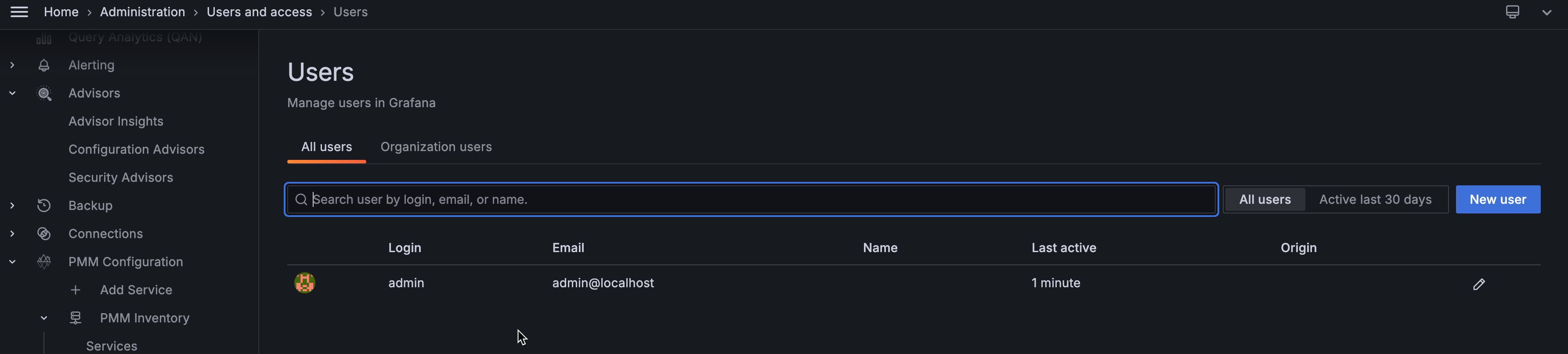
To add a new user in PMM:
- On the Users tab, click New user.
-
On the Add new user dialog box, enter the following:
- Name - Full name of the user
- Email - Email address or username (if this is an existing Grafana user)
- Username - Login username for this user
- Password - Secure password for this user
-
Click Create user.
The new user can now log in to PMM using the username and password you created.
Assign user roles
After creating a user, you may want to assign them specific roles or permissions. See Edit users for information on:
- Granting or revoking admin privileges
- Changing organization roles (Admin, Editor, Viewer)
- Managing user permissions